Show Folder
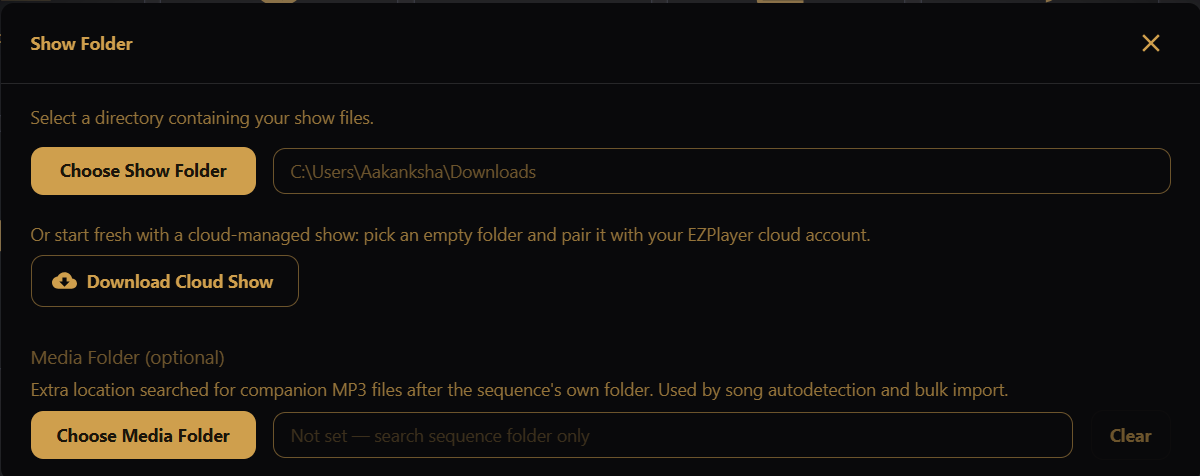
Desktop app only for choosing the show folder — not shown in the LAN UI. In the LAN UI, Media Folder appears as its own Settings tile instead.
Point EZPlayer at the folder that holds your show data.
- Choose Show Folder — pick an existing xLights show folder or a folder EZPlayer is already using. Switching folders reloads sequences, playlists, schedule, and layout from the new location.
- Download Cloud Show — pick an empty folder to start a fresh cloud-managed show. If the folder already has cloud configuration, EZPlayer opens it as-is. For a new folder, go to the Cloud screen to register the player.
Media Folder
Optional extra directory searched for companion audio (and related media) when adding a song or running Bulk Import.
On the desktop app, this lives inside the Show Folder dialog (Choose Media Folder / Clear). On the LAN UI, open the separate Media Folder tile and type the path as the player PC sees it (then Save).
Use this when your .mp3 and other audio files live outside the show folder — for example a
shared media library or an xLights render output folder.