Cloud
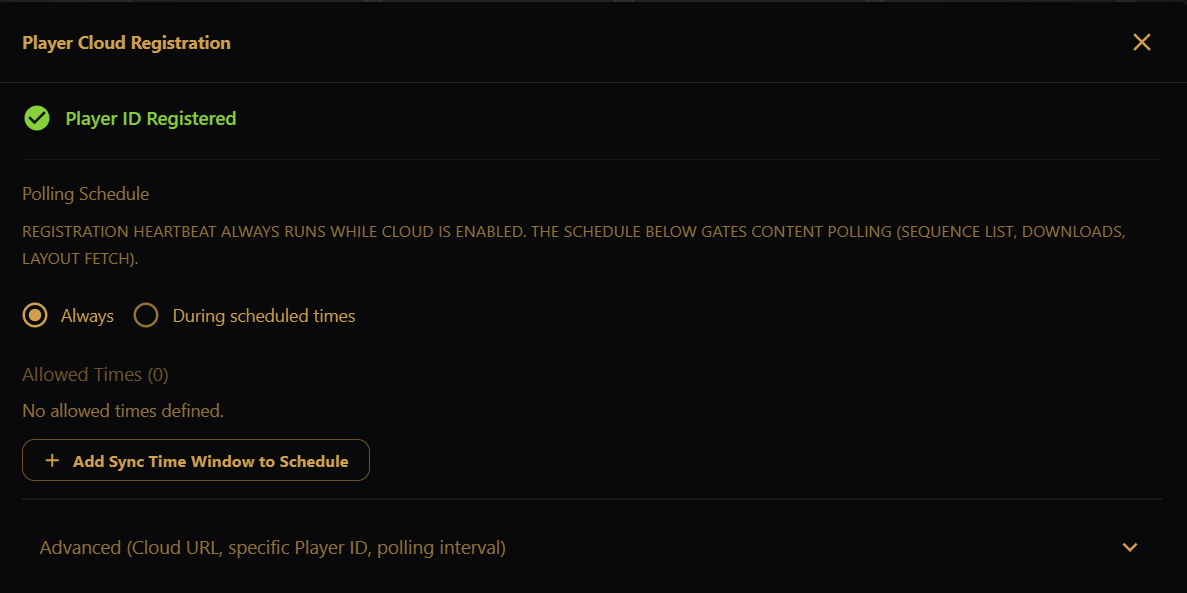
Opens the Player Cloud Registration dialog.
Use this tile to manage EZPlayer's connection to EZRGB Cloud. The same dialog appears on first launch and behind Register Player / Edit on the Cloud sidebar screen.
After you claim the player on EZRGB, it appears under EZPlayer on your My Account page; click Manage Player for the full remote UI. The Remote Control Link on the Cloud screen opens the same UI. See Remote Control Link before sharing it.
See Registering, Cloud Status / Control UI, and Using Full Cloud Control.
Status
The header shows one of:
- Player ID Registered — cloud connection is active and the player is known to your EZRGB account.
- Waiting for Registration — scan the QR code or open the registration URL in a browser logged in to EZRGB.
- Cloud Paused — polling is suspended. Click Resume Cloud to continue; your URL and token are kept.
Polling Schedule
Control when EZPlayer downloads new content from the cloud:
- Always — content polling runs continuously while cloud is enabled.
- During scheduled times — content polling runs only inside the Allowed Times you define. Outside those windows, downloads are suspended.
Registration heartbeat polling always runs while cloud is enabled, even in scheduled mode — this keeps the player visible to the cloud and responsive to remote commands.
Selecting During scheduled times shows the Allowed Times list. Add windows with Add Sync Time Window to Schedule (days + start/end time, same day/time format as viewer control). With no allowed times defined, content polling is suspended entirely. Switching back to Always keeps your windows for later.
Advanced
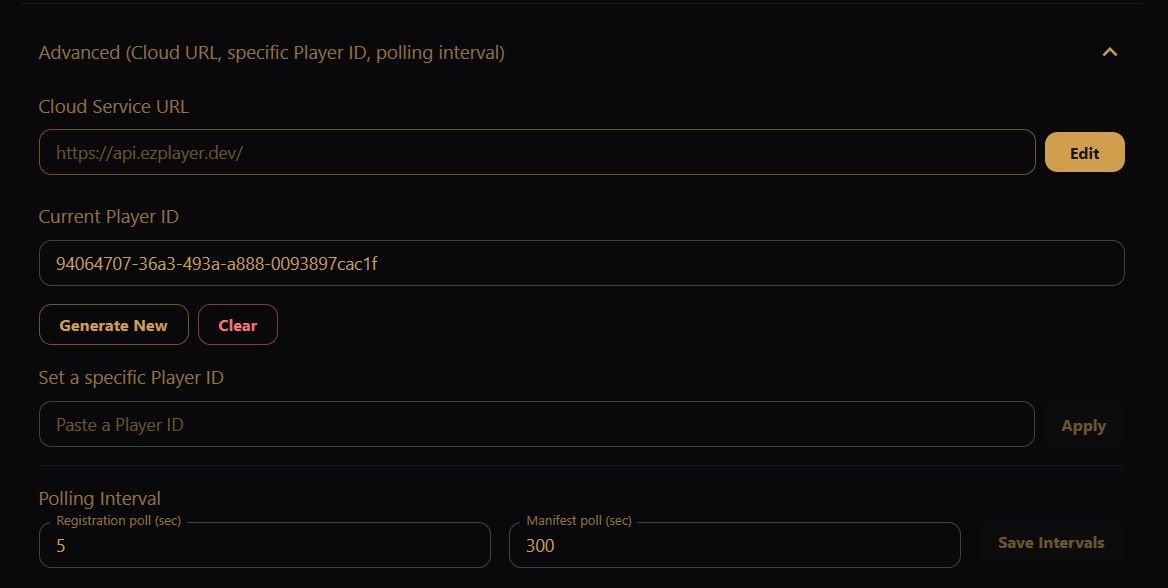
Expand Advanced for infrequently changed options:
- Cloud Service URL — click Edit to override the default EZRGB cloud endpoint (for development/staging or self-hosted installs).
- Current Player ID — the ID for this show folder, masked by default; use the eye icon to reveal it or the copy icon to copy it. Generate New creates a fresh ID (requires re-registration). Enter Manually lets you paste an existing ID to reconnect this folder to a player already registered in the cloud.
- Polling Interval — how often the player checks in with the cloud
(Save Intervals to apply):
- Registration poll (default 5 seconds) — heartbeat and command pickup.
- Manifest poll (default 300 seconds / 5 minutes) — sequence list, downloads, and layout.