Jukebox
The jukebox is EZPlayer's on-demand playback screen. While the schedule runs your show on autopilot, the jukebox lets you pick individual songs to queue up or to play immediately.
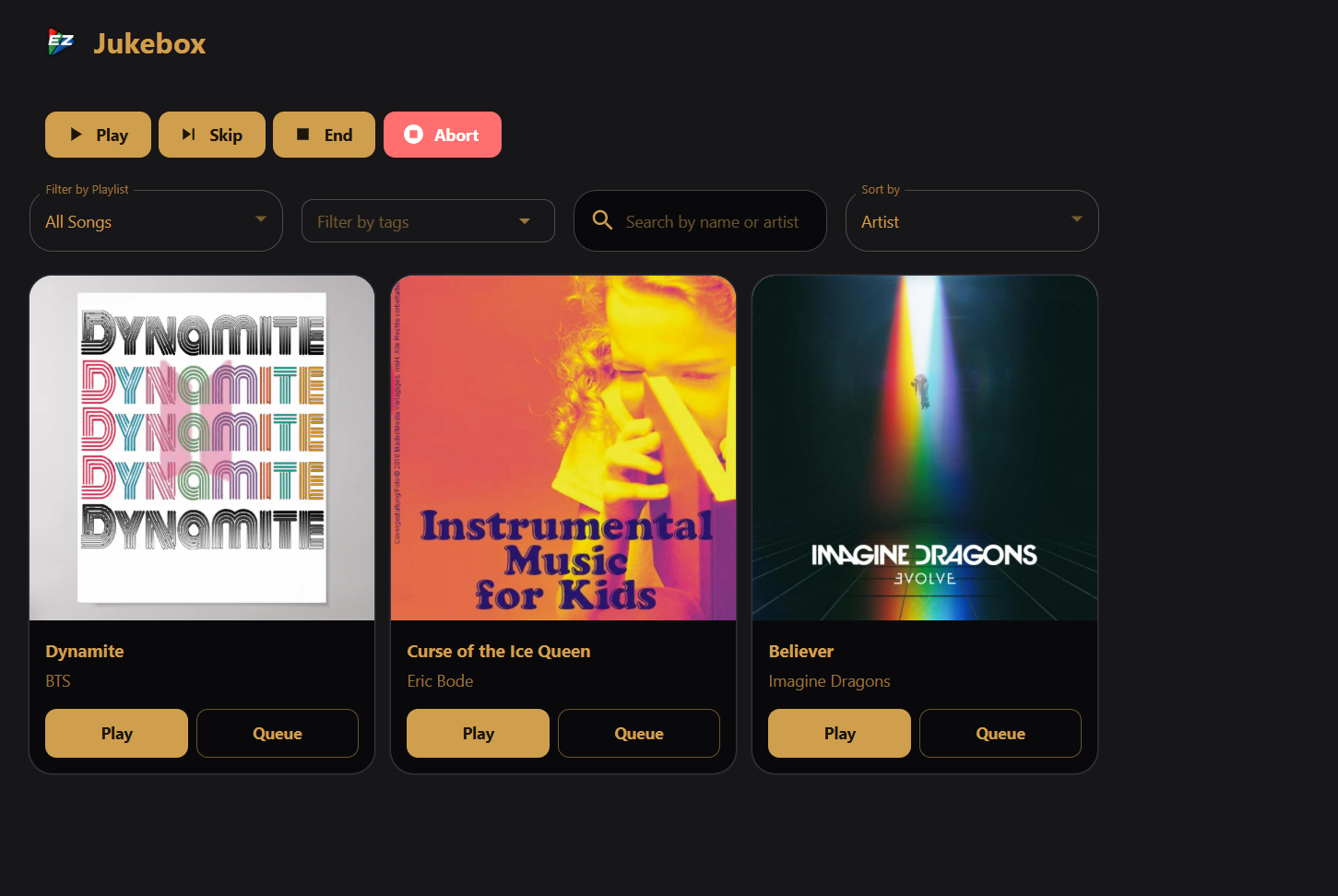
Playback controls
- Play — play the schedule.
- Pause / Resume — pause live playback, or resume from a paused state.
- Skip — skip the current song (ending it abruptly).
- End — graceful stop that waits for the current song to finish before stopping.
- Abort — hard stop that cuts playback immediately, without finishing the song.
Queue
When you Queue a song, it appears in the Queue list. Each entry shows the song title; click the × to remove a pending request.
Queued songs play at the next sequence boundary — after the current song finishes. Using Play instead of Queue causes the song clicked to play immediately.
Filters and sorting
Below the controls, narrow the song grid:
- Filter by Playlist — show only songs that belong to a chosen playlist, or All for the full jukebox catalog.
- Filter by tags — filters available songs by song tags.
- Search — match title or artist.
- Sort by — artist or title.
Song cards
Each card shows artwork (or a music-note placeholder), title, artist, and vendor. Two actions:
| Button | Behavior |
|---|---|
| Play | Start the song immediately. Will interrupt the current foreground sequence. |
| Queue | Add the song to the interactive queue. Plays at the next sequence boundary. |
Which songs appear
A song must be playable before it can show up on the jukebox:
- Not deleted.
- Has a real
.fseqfile (not waiting for cloud download). render_enabledis notfalse.
Beyond that, jukebox tag rules decide which playable songs are offered. These rules (excluded and included tags) are configured in Settings → Jukebox and apply equally to the jukebox screen, the built-in viewer-control catalog, and Remote Falcon integration — see Jukebox settings and Viewer Control.
The quickest way to hide a sequence is to add the nojukebox tag on the
Songs screen. You might want to do this for PSAs, static sequences, etc.
Remote Jukebox
The Jukebox is available on the LAN UI, with the addition of a button for listening to the live audio.