Show Status — Details
The Show Status screen is your diagnostics view. Where the Player screen gives an at-a-glance summary, this screen lays out the full detail in a set of cards. It's the place to look when something isn't behaving as expected.
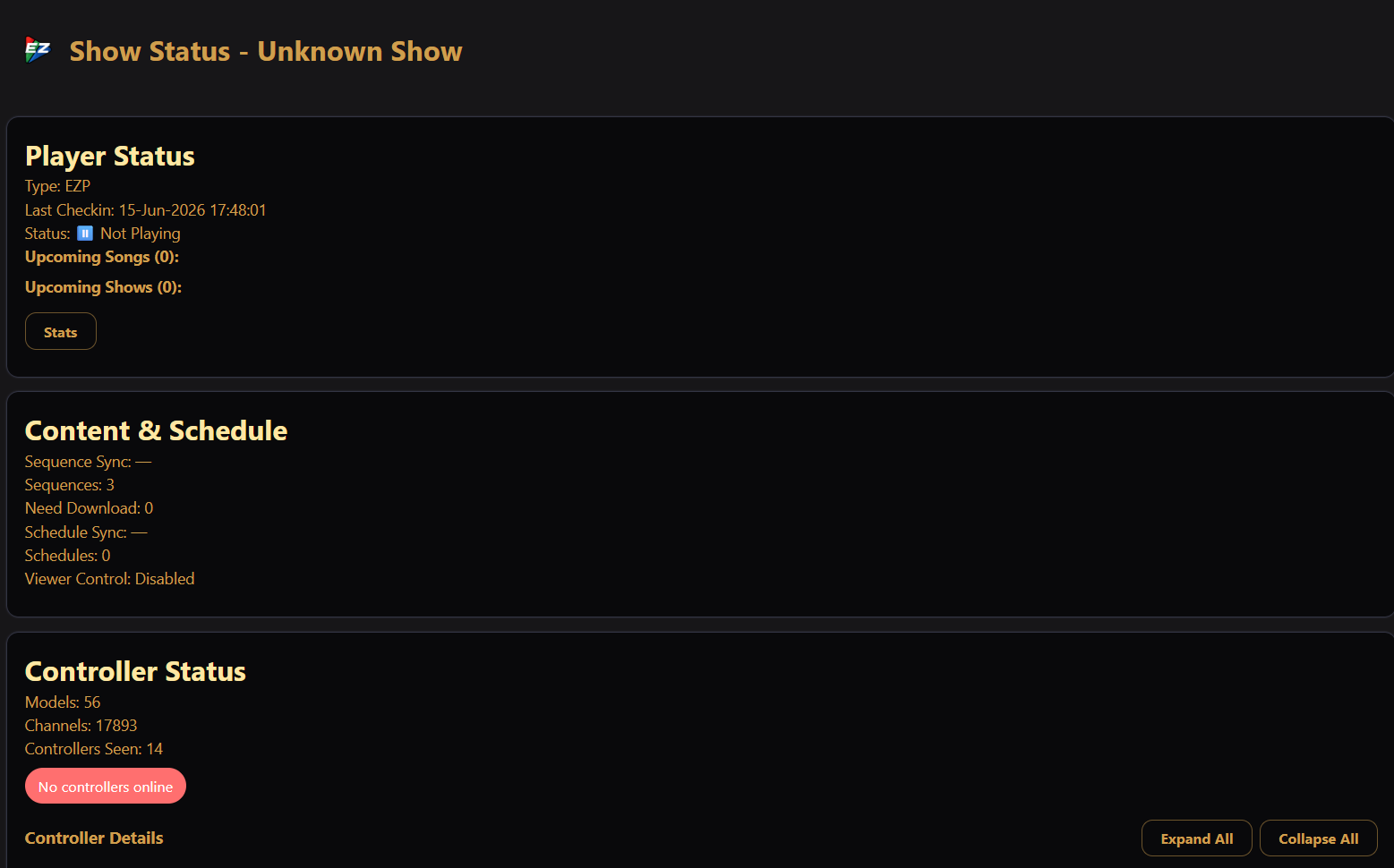
Player Status
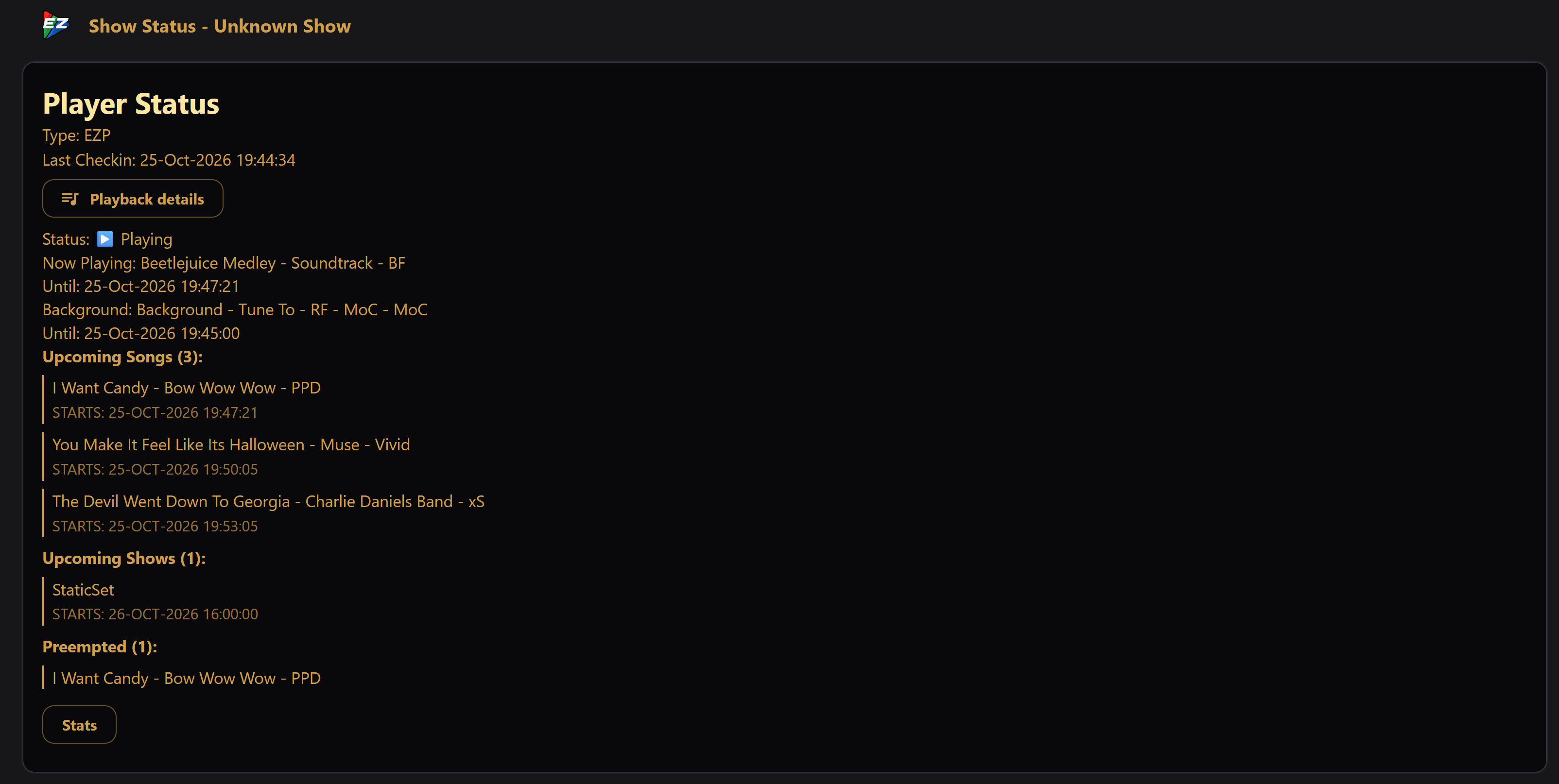
What the playback engine is doing right now:
- Type — the kind of player.
- Last Checkin — when the player last reported in.
- Playback details — opens a closer look at what is on, what it interrupted, what is waiting, and what is next. See Playback details.
- Status — Playing, Paused, Ending (a graceful stop is under way), or Not Playing.
- Now Playing and Until — the current song and when it's expected to end.
- Background and Until — the background sequence, when one is running.
- Upcoming Songs / Upcoming Shows — what's queued to play next.
If there are interactive requests or schedules that were paused by a higher-priority show, they appear here too (as queue, suspended, or preempted items).
The Stats button opens detailed playback statistics — see Statistics.
Test Sequences

Play a test sequence on demand.
The dropdown lists sequences carrying one of the configured test
tags (default test; set under
Settings → Player), and Play Test
Sequence starts the selection immediately. Stop ends the test sequence you
started from this screen. Unavailable when no test tags are configured.
Content & Schedule
A summary of the show data the player has loaded:
- Sequences — how many songs/sequences are available, and how many still need download (for cloud shows).
- Music proof needed — shown when some sequences still need proof of music rights. Fix on Cloud page takes you to the Cloud page.
- Schedules — how many schedule entries are loaded.
- Sync times — when the sequence and schedule data were last refreshed.
Viewer Control

A summary of viewer requests. See Viewer Control for how to set it up.
- Chips — which backends are on: EZPlayer viewer page, Remote Falcon, or both. They are green while a request window is open and amber while it is closed. Disabled is shown when viewer control is off.
- Request window — whether a window is open right now, and if so the playlist viewers are picking from and when it ends. Shows No request windows scheduled if none are set up.
- Viewer page (EZPlayer viewer page only) — whether the page is taking requests or votes, how many people are on it and listening, and the queue length or vote count. Marked (stale) if the cloud has not reported recently, or player offline when the player is not connected.
- Today — requests and votes on the viewer page, and songs picked by source (viewer page, Remote Falcon, jukebox).
When both backends are on, viewer-page requests play before Remote Falcon suggestions.
Settings opens the Viewer Control settings. Viewer activity opens the full activity view. The button is unavailable until the player has reported activity.
Viewer Activity
What the audience is doing with the viewer page. The dialog has these cards:
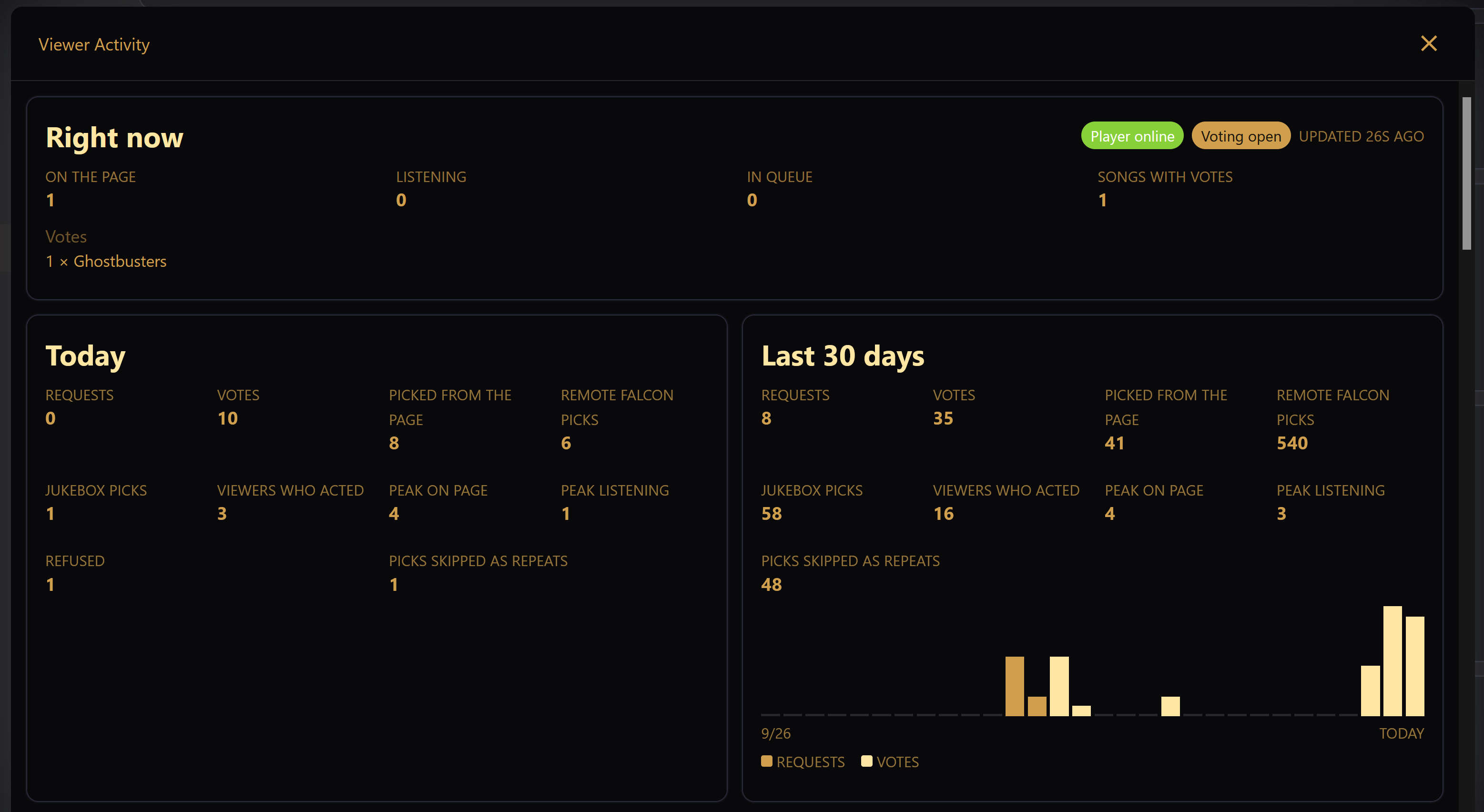
- Right now — whether the player is online and whether requests or voting are open, with how many people are on the page and listening, the number of songs in queue, and the songs with votes. The request queue and vote counts are listed below when there are any. It shows when the data was last updated, and a warning if the player server could not be reached.
- Today — requests, votes, songs picked from the page, by Remote Falcon and from the jukebox, viewers who acted, peak on the page and peak listening, and how many requests were refused. Picks skipped as repeats counts picks dropped by Songs Between Repeats.
- Last N days — the same totals over the recent window, with a bar for each day split into requests and votes. Hover over a day for its counts.
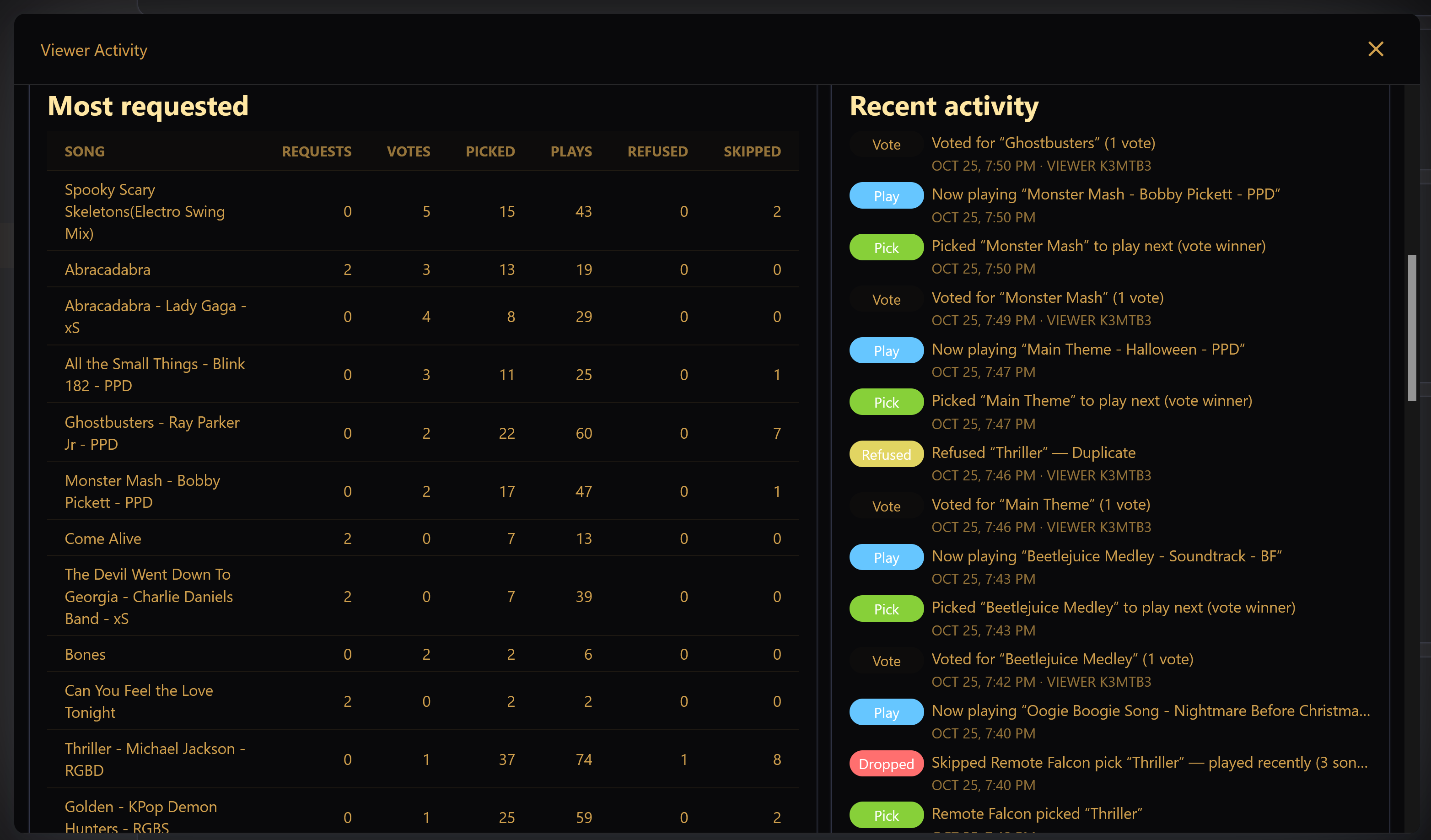
- Most requested — a per-song table of requests, votes, times picked, plays, refusals and skipped picks. Why requests were refused shows the reasons with counts, such as requests closed, already playing or next, played recently, per-viewer limit, or queue full.
- Recent activity — a feed of requests, votes, refusals, picks, skipped picks and plays, each with its time. Viewers appear only as a short anonymous ID.
Days are counted in the show's time zone. If the player server dropped some activity before it could be collected, a notice says recent counts may be incomplete.
Controller Status
A summary of your lighting network — model and channel counts, how many controllers were seen, and an overall health indicator — with expandable detail for each controller. This is covered on its own page: Controllers.
HTTP Listener Status
Shows the port the local web server is using and whether it is Listening. This is mainly useful when connecting from the LAN UI or troubleshooting a connection from another device.