Networks and Scanning
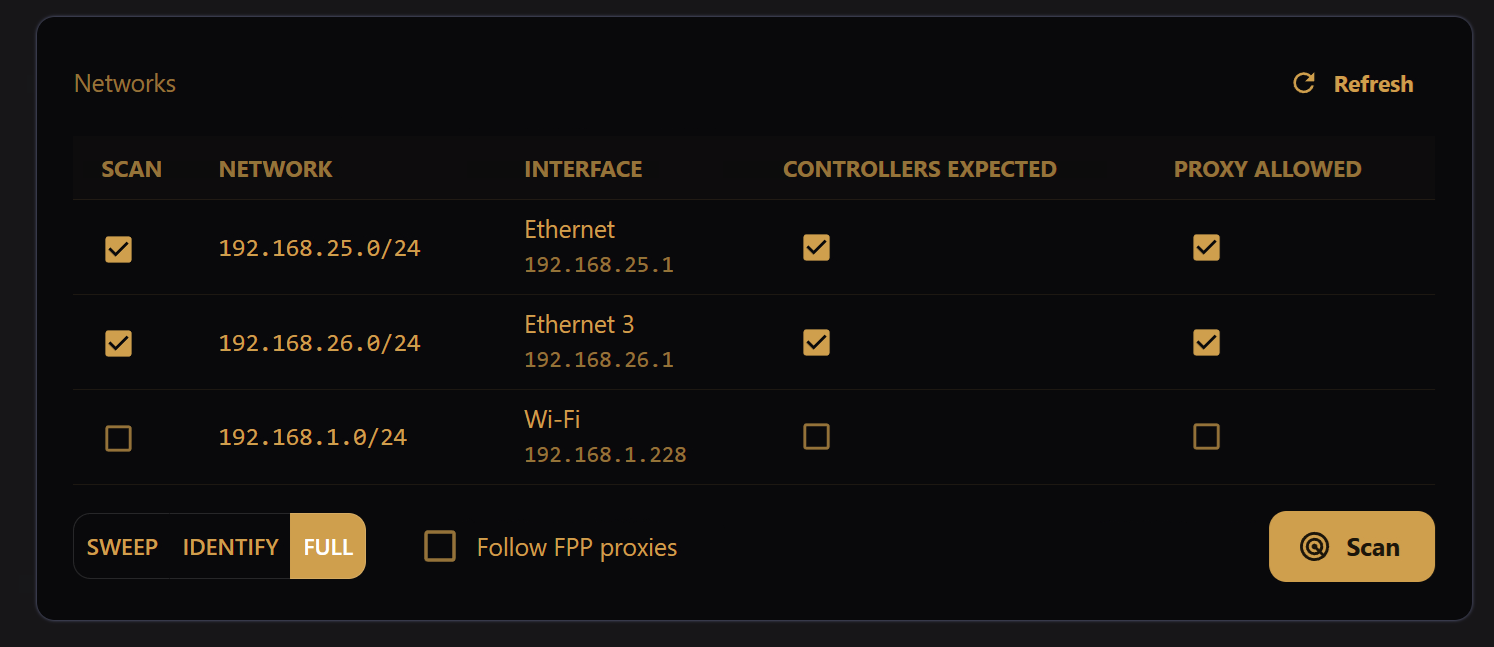
Network scanning can be used to find controllers, or to refresh all controller details at once.
This card also enables/disables proxy access to the networks listed.
Network Scanning
Select the networks to be scanned by checking their boxes under the "Scan" column.
The network scan can proceed at three levels of detail:
- Sweep: Find responsive IP addresses and collect IP-level details
- Identify: For responsive IP addresses, attempt to identify if the device is a supported light controller
- Full: Refresh full details for supported light controllers
If Follow FPP proxies is checked, any FPP or similar devices will be queried to see if light controllers are attached to them.
Once selections have been made, press the Scan button. The status of the scan and the resulting discoveries will be populated in the cards above.
Network Proxy Settings
To enable proxy access to the controllers on a network, check the "Proxy Allowed" box for that network.
On a cloud-registered machine, enabling the proxy allows remote access to controllers (or other web pages) by anyone with your secret player registration token. Please keep your registration token safe, and only enable proxy for your controller "show" networks.