Controller Actions
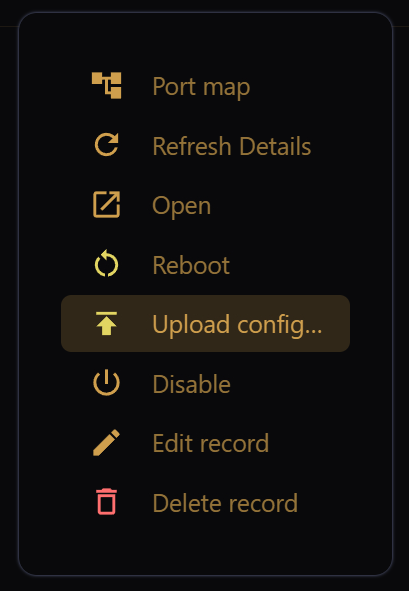
The controller actions available depend on the driver for the selected item, but may include:
- Port map: Opens the Port Map, showing the expected configuration for the controller.
- Refresh Details: Populates or refreshes the controller details.
- Open: Opens the controller web page. For this to work, the controller must be reachable via the network or via proxy through EZPlayer.
- Reboot: Allows soft and/or hard reboot of the controller, depending on the model.
- Upload config: Configure the controller according to its input settings and Port Map.
- Enable/Disable: Enable/Disable the controller from use by EZPlayer.
The actions also provide options for EZPlayer recordkeeping:
- Promote...: Save a record for a discovered controller that was not yet configured.
- Edit record: Edit EZPlayer controller-specific information.
- Delete record: Delete the controller's record from EZPlayer.